SOFTWARE SUPPORT / NODE-RED
Understand the editor
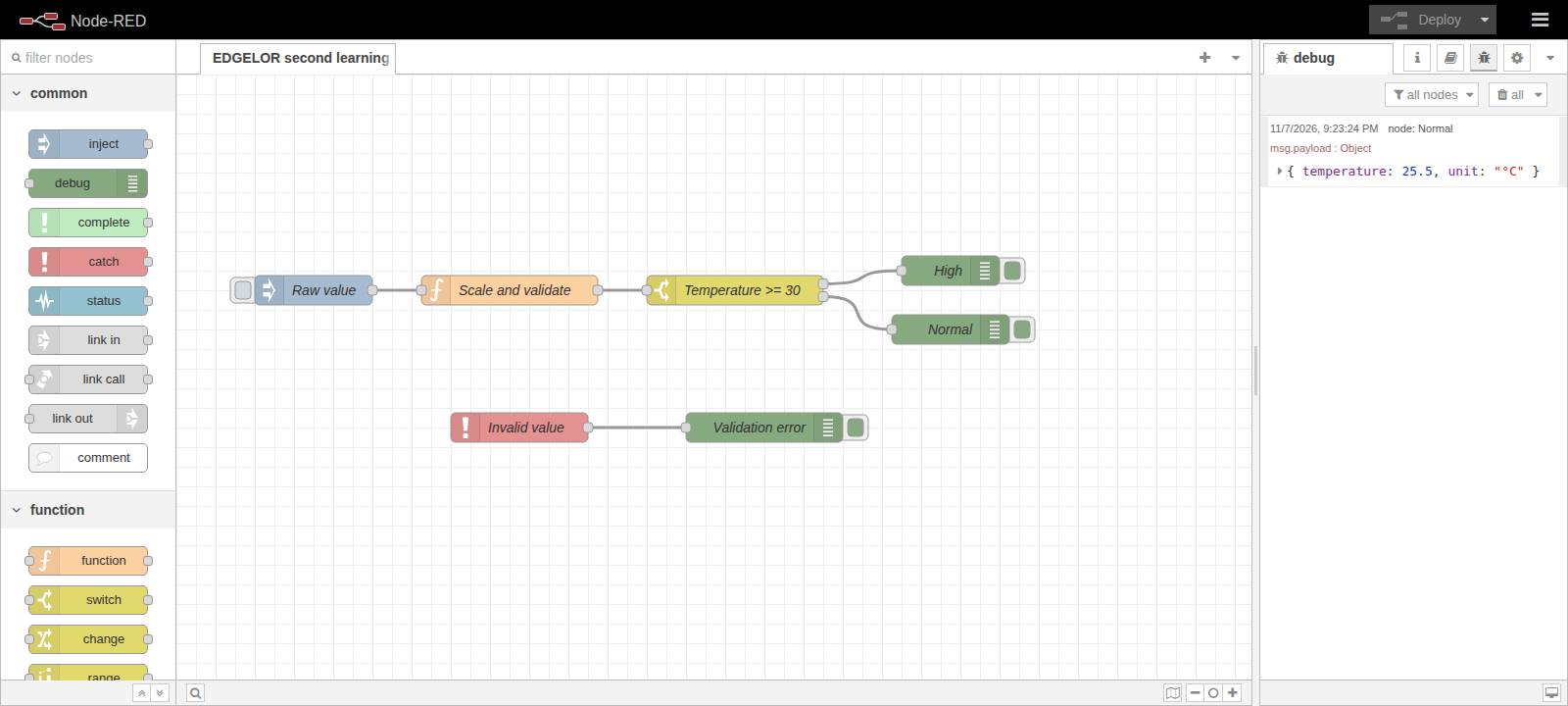
Find the palette, workspace, Deploy control and Debug sidebar.
 Enlarge diagram +
 Enlarge diagram +
Node palette
Find installed nodes, inspect their help and drag a node into the workspace.
Workspace
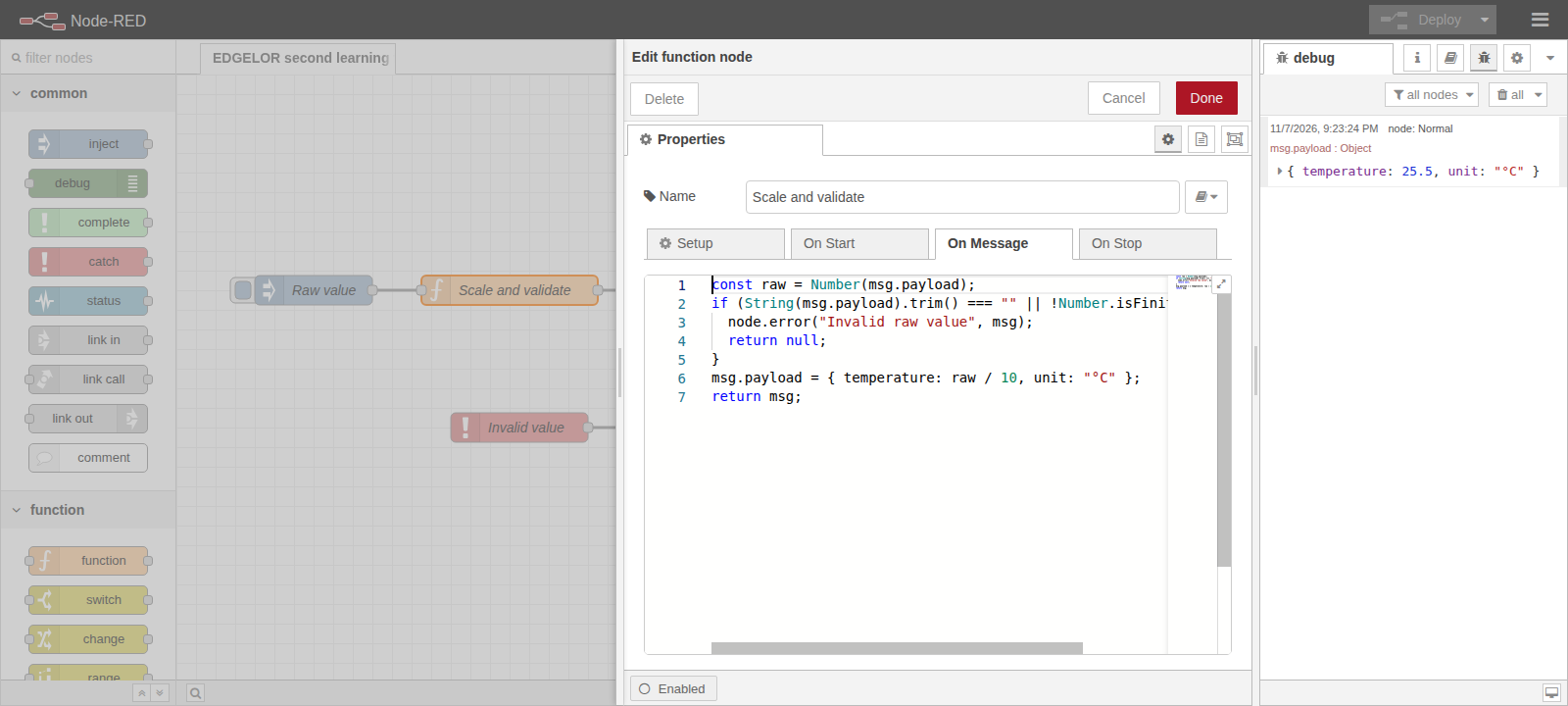
Connect output and input ports in message order. Double-click a node to edit its properties.
Deploy
Apply the edited flow to the runtime. Save an export before changing a working application.
Debug sidebar
Inspect the payload, its type and the complete message when needed. Compare it with the expected value.