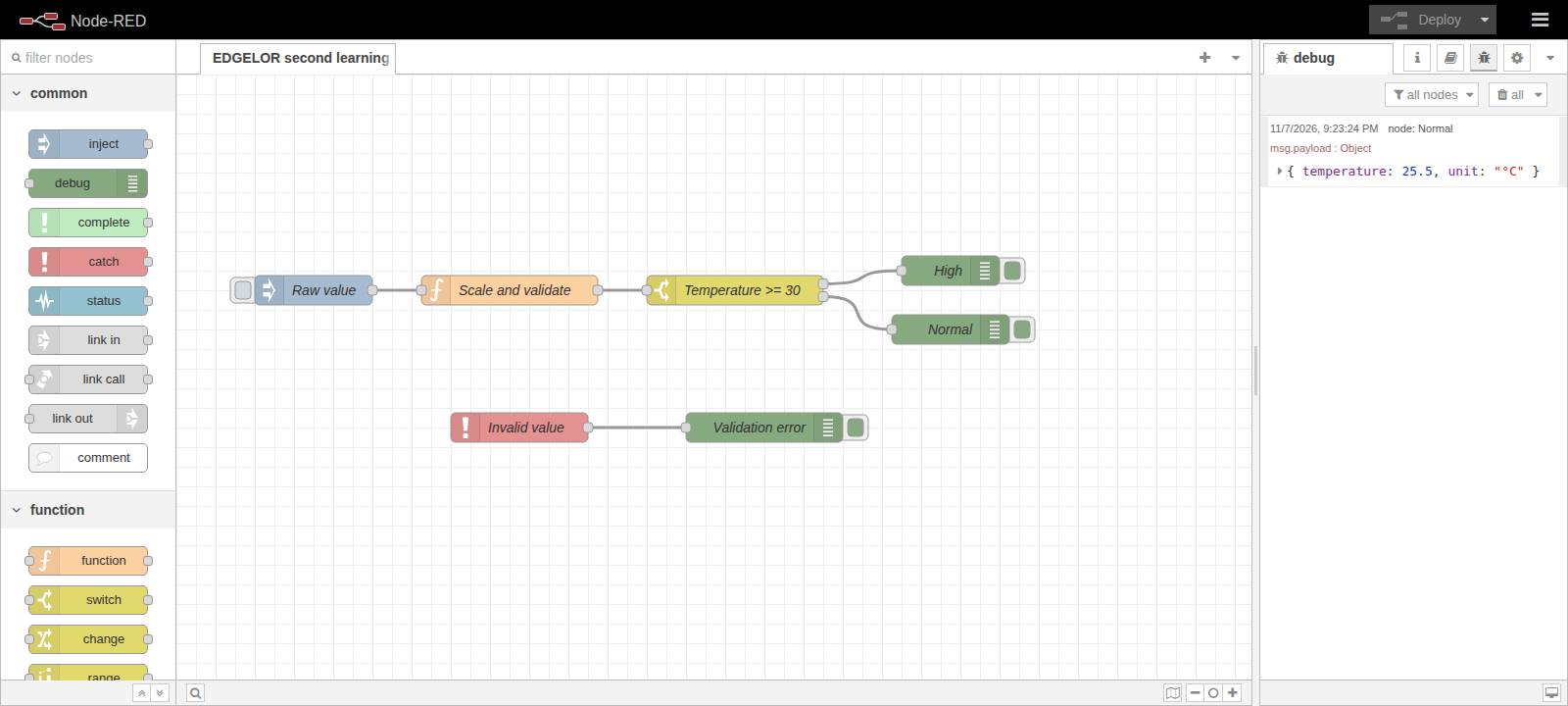
Scale a sensor value
Convert a raw value of 255 into 25.5 °C and inspect the result before reporting.
 Enlarge diagram +
SOFTWARE SUPPORT / NODE-RED
Start from documented tasks and check the result at the receiving end.
Convert a raw value of 255 into 25.5 °C and inspect the result before reporting.
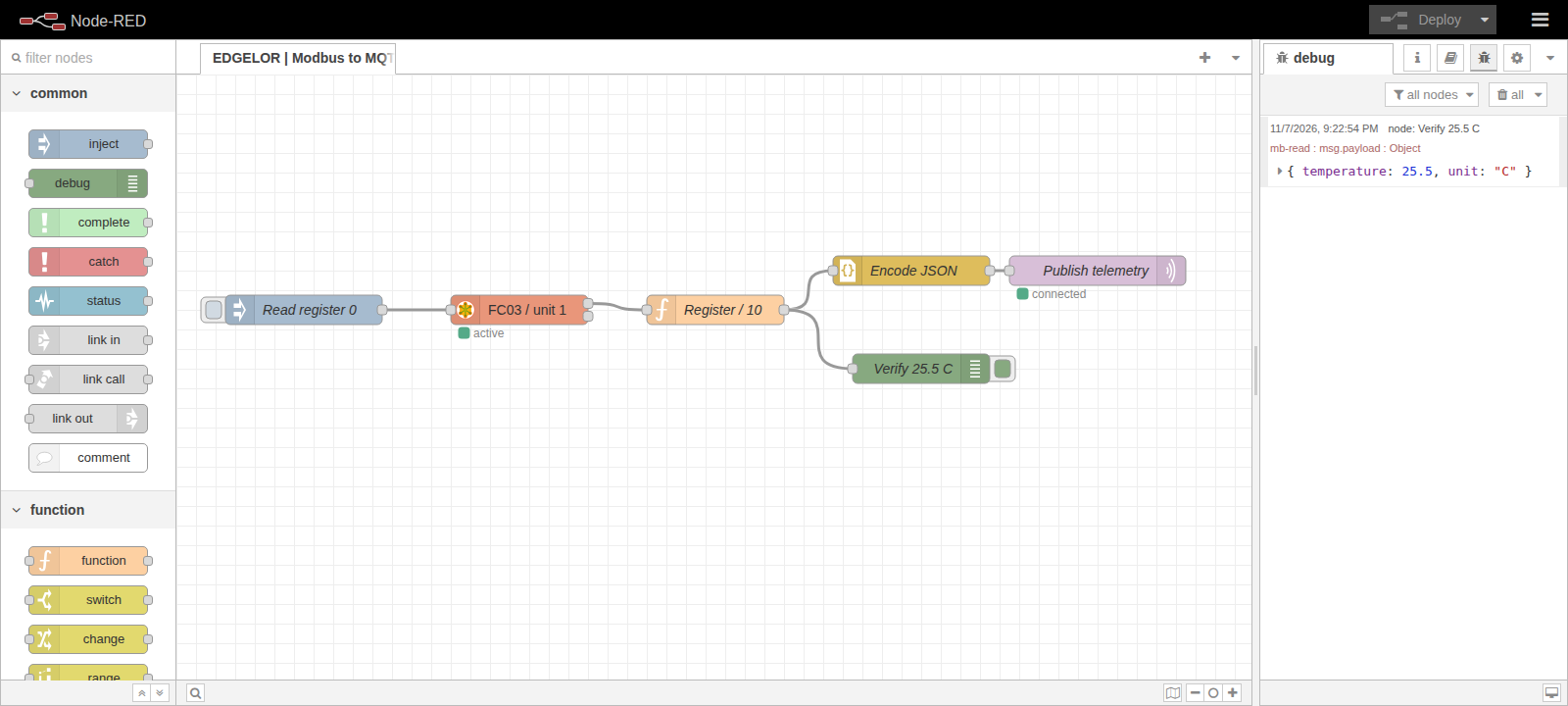
Enlarge diagram +Verify the instrument register first, then map its value and confirm the published message at an independent subscriber.
 Enlarge diagram +
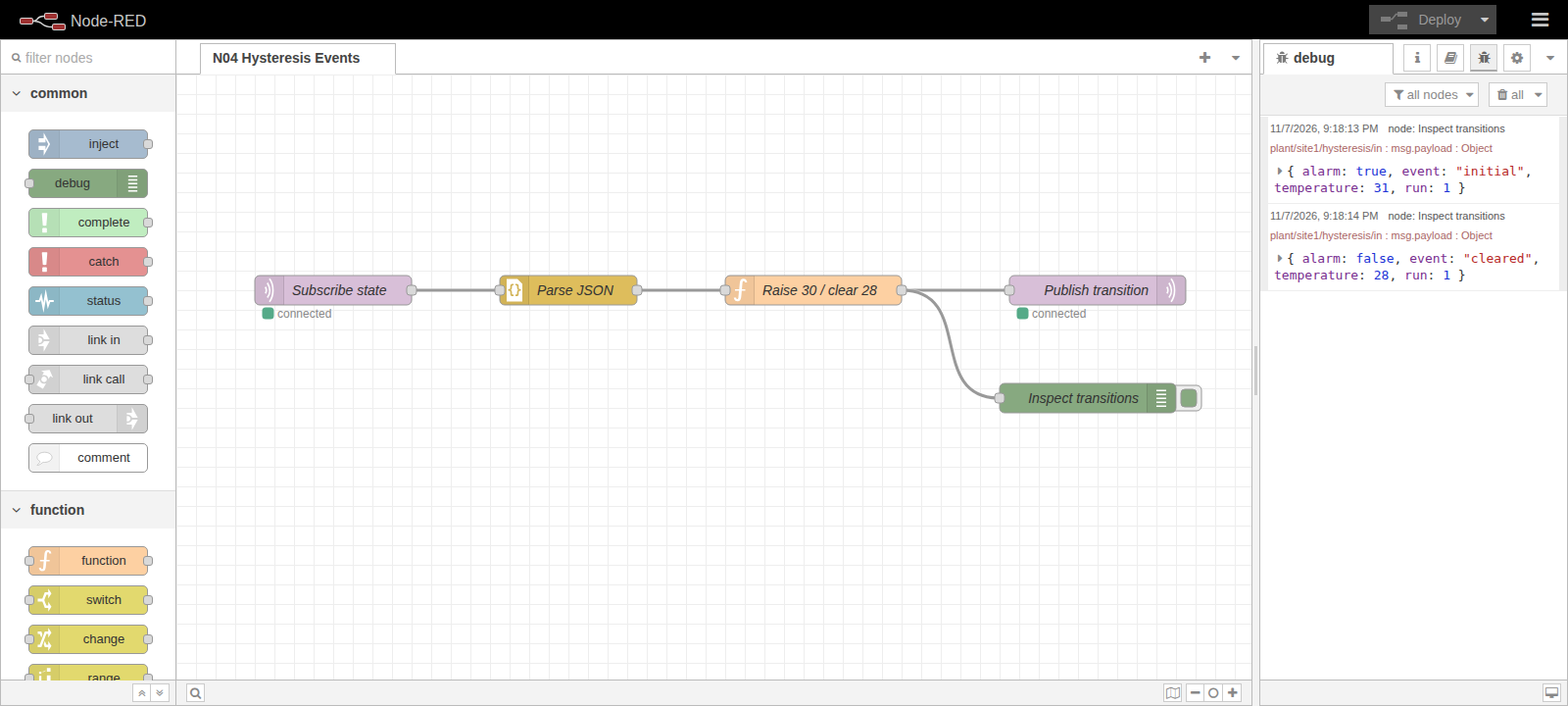
Use the guide example of 30 °C alarm and 28 °C recovery. Report state changes rather than repeating the same alarm.
 Enlarge diagram +
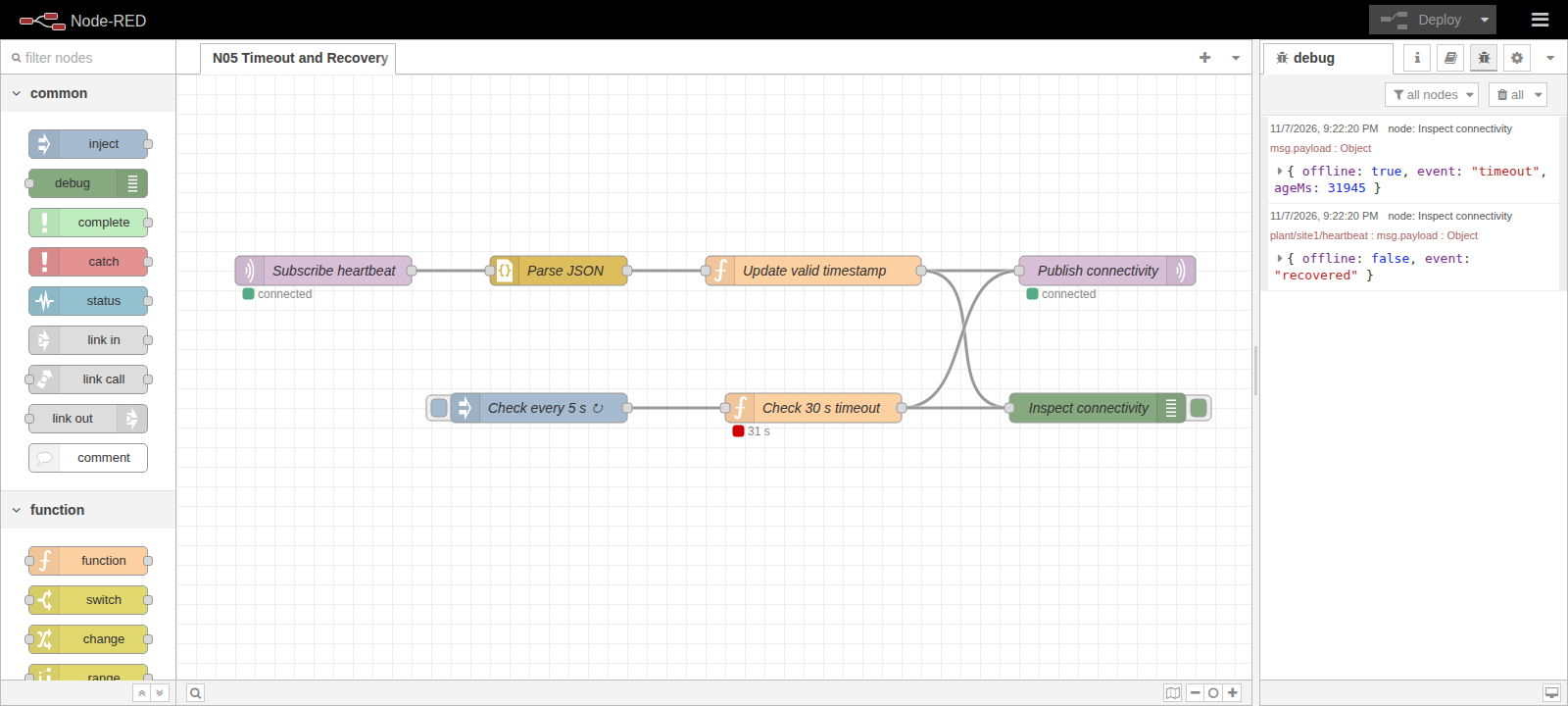
The guide example detects 30 seconds without data and reports recovery when valid readings return.
 Enlarge diagram +
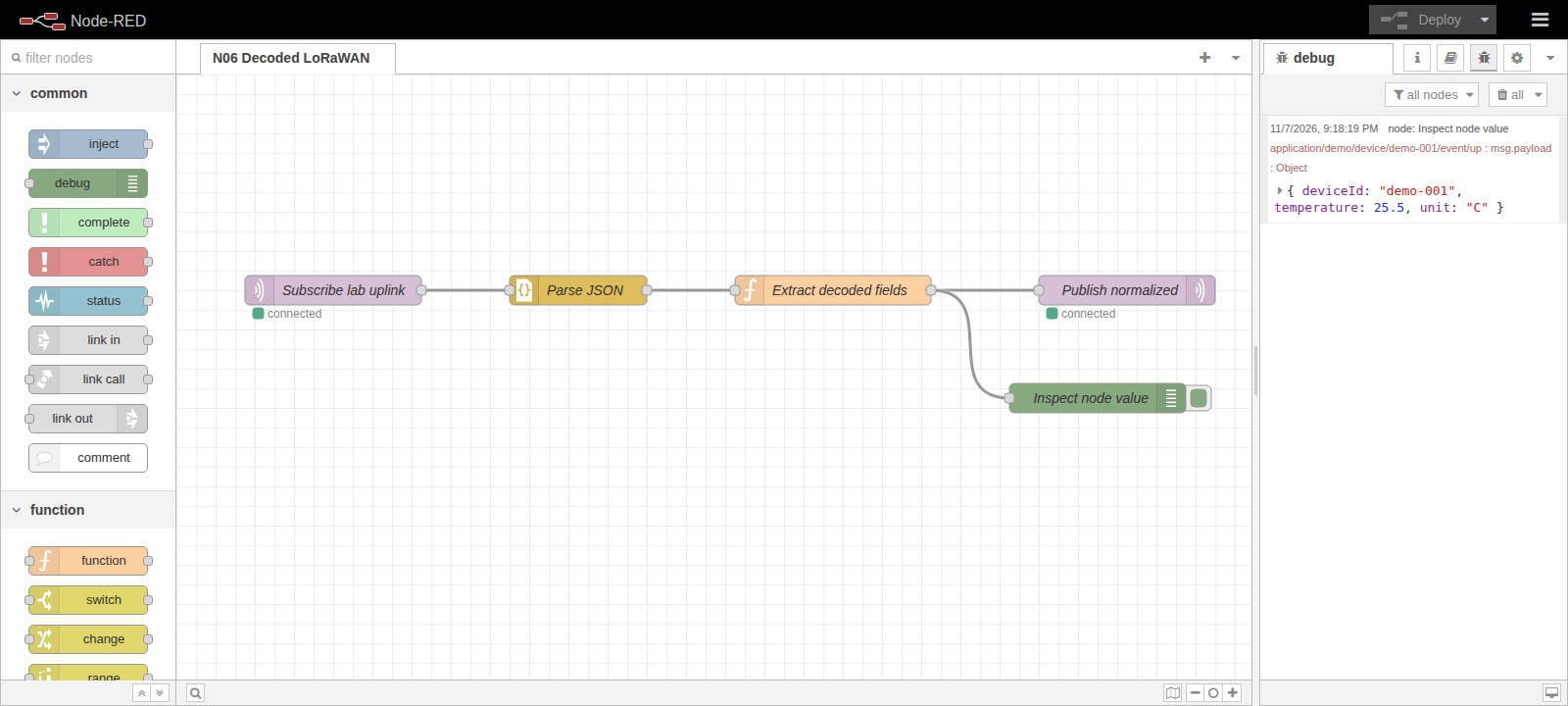
Normalize already decoded fields, names and units. Raw radio payloads still need the correct device codec.
 Enlarge diagram +
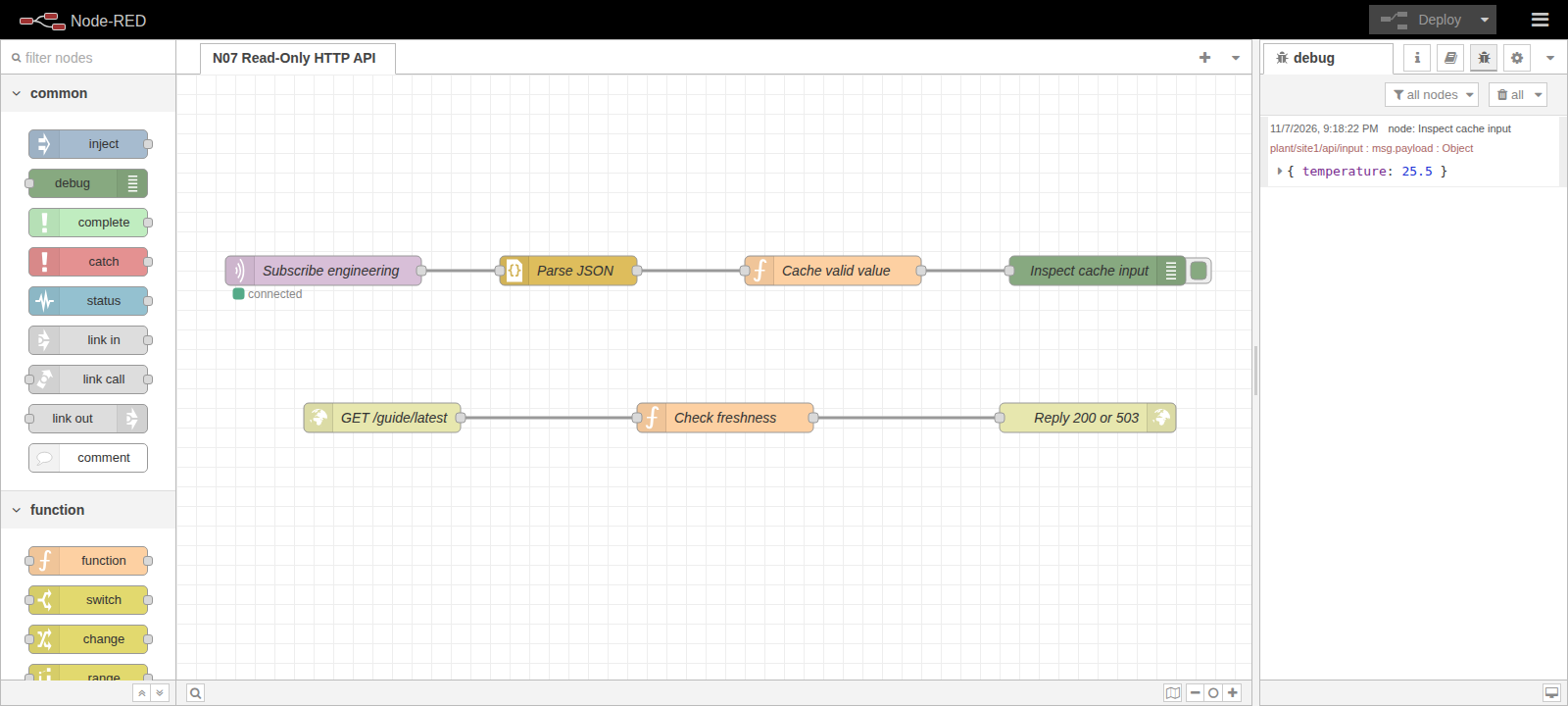
The read-only guide example returns HTTP 200 for fresh data and 503 when a value is missing or stale.
 Enlarge diagram +
DOCUMENTATION