SOFTWARE SUPPORT / PRODUCT CAPABILITIES

Software features

Connect equipment, acquire data and manage remote sites. Use this overview to identify the functions your project needs, then confirm the selected model and configuration.

One view of the software. A clear scope for each model.

The feature reference below follows the YZW800 V1.5 datasheet. Interfaces, optional services and capacity vary by model and delivered firmware.

Read the YZW800 specification
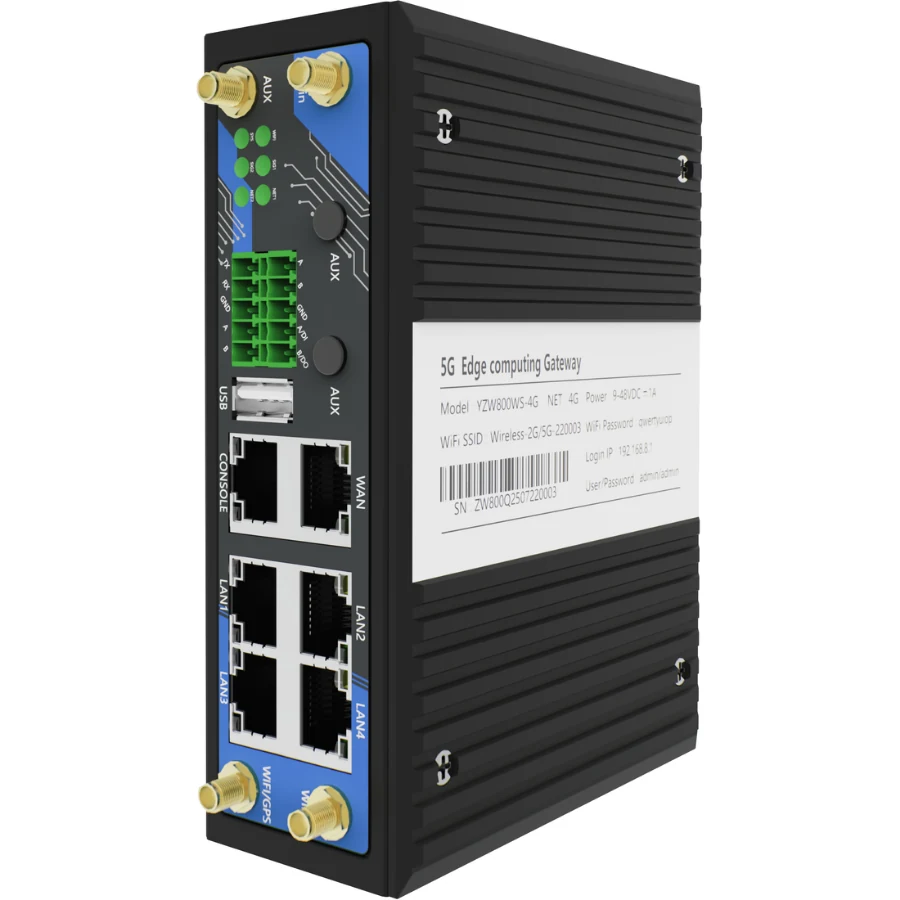
YZW800 industrial gateway; pictured configuration
01

Network connectivity

Ethernet WAN with DHCP, static IP or PPPoE; cellular profiles, connection health checks, priority and failover. Load balancing distributes eligible connections rather than combining the speed of one connection.

YZW800 V1.5 · 2–3

Explore industrial connectivity
02

Routing & security

IPv4/IPv6 networking, static routes, VLANs, NAT, firewall rules and management access controls. The final routing and access policy is defined for the site.

YZW800 V1.5 · 2–3

Gateway UI Demo
03

VPN & remote access

WireGuard, OpenVPN, IPsec, ZeroTier and other documented tunnel options. L2TP, GRE and VXLAN alone do not encrypt traffic. Remote PLC software access depends on the equipment, vendor tool and authorized path.

YZW800 V1.5 · 4, 9

Explore remote management
04

Industrial data acquisition

Modbus TCP/RTU polling, configured point lists and MQTT/TCP/UDP reporting. Selected PLC drivers provide an additional acquisition path with their own configuration and message format.

YZW800 V1.5 · 4–7

Explore data acquisition
05

Serial & local services

DTU channels, Modbus TCP-to-RTU/ASCII gateway, a local MQTT broker and SNMP management options. One physical serial port is assigned to one serial consumer at a time.

YZW800 V1.5 · 5, 8

Discuss protocol integration
06

Local application workflows

Node-RED on supported configurations for message transformation, conditions, alarms and application integration. Runtime, storage and node compatibility are confirmed for the selected gateway.

YZW800 V1.5 · 5

Explore Node-RED integration
07

Operations & maintenance

Web and CLI configuration, backup/restore, logs, time synchronization and diagnostics. Use the M2M platform for fleet administration and the M2M remote tool for equipment access.

YZW800 V1.5 · 8–9

Read technical answers

COMMAND FEEDBACK

Receiving a message is only the first step.

01

Confirm the command path

The PLC reporting service and Modbus collector use different write payloads and feedback paths. Select the correct service and documentation.

02

Verify device execution

An MQTT delivery acknowledgment does not prove a field write succeeded. Check the service response where available and confirm the device value by readback.

03

Check recovery behavior

Include disconnect/reconnect, reboot and configuration restoration in the acceptance test for the delivered project.

DOCUMENTATION

Check the details before you choose.

START WITH YOUR APPLICATION

Tell us what needs to connect.

Share the model, interfaces, protocol documents and the result you need. We will review the implementation and acceptance scope with you.

Discuss your project
WhatsApp