Routed access
Use the Routes controls to review the site subnet and M2M next hop. Verify the return path and target service; IP access does not require broadcast discovery.
M2M / REMOTE TOOL UI
The Windows remote tool connects the engineer PC to an authorized site. Its route, adapter and serial controls are separate from the web management platform.
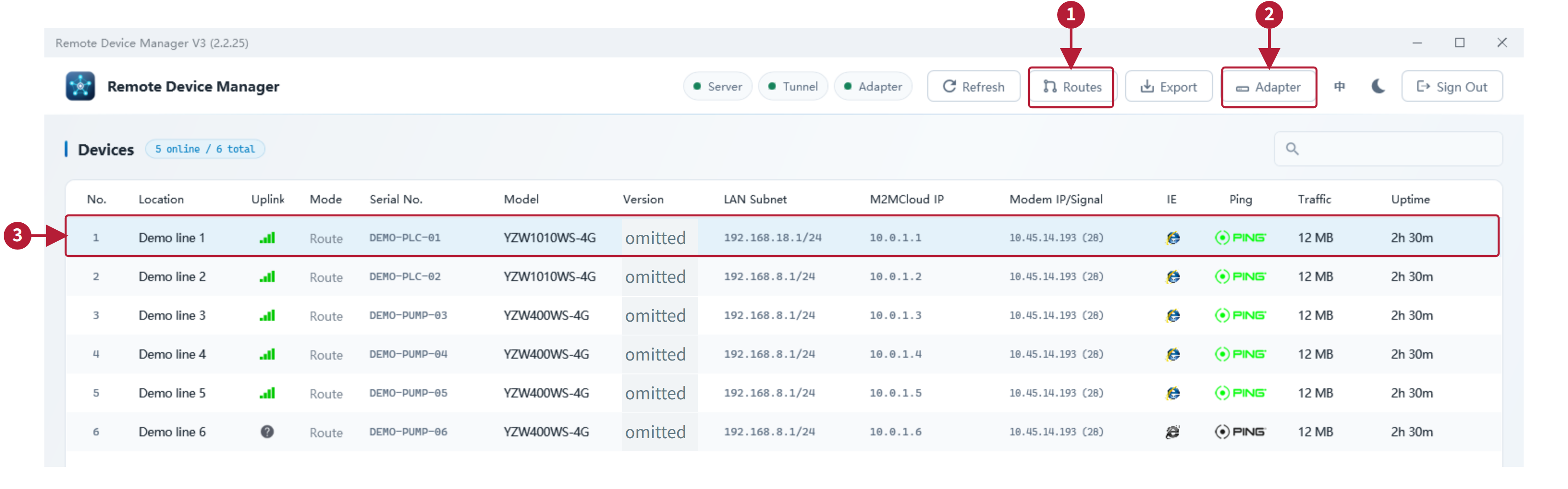
Native Windows interface examples from the supplied V3 client guide. These are offline examples, not a live remote session; the delivered client version must be confirmed.
ENGINEER WORKFLOW
Use the Routes controls to review the site subnet and M2M next hop. Verify the return path and target service; IP access does not require broadcast discovery.
Review the adapter and authorized tunnel mode. Layer-2 bridge availability depends on the delivered client, gateway and project permissions.
Use the assigned local COM port with compatible vendor software. The gateway physical serial port must be available and configured for this task.
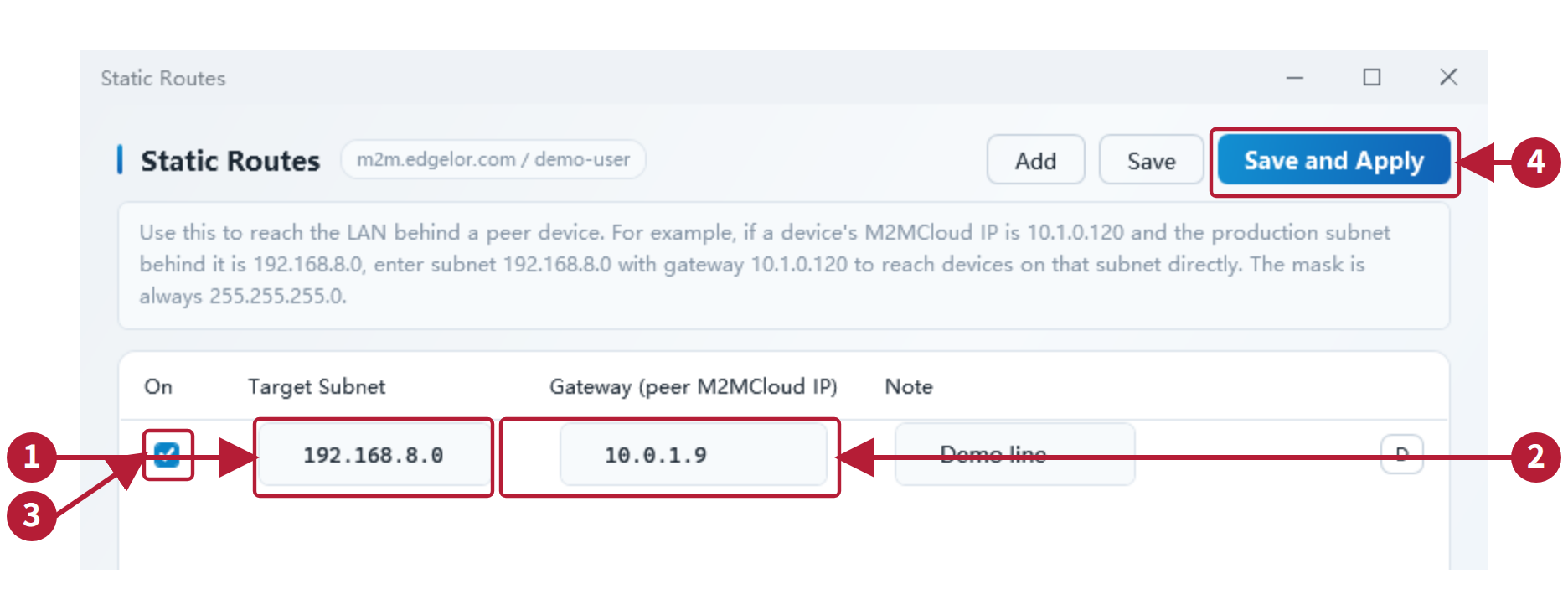
Platform connection, tunnel readiness and actual equipment access are separate checks. Remote PLC operations depend on the CPU, vendor software, network path and permissions.
DOCUMENTATION
START WITH YOUR APPLICATION
Share the model, interfaces, protocol documents and the result you need. We will review the implementation and acceptance scope with you.